1. Analysis Configuration
2. Document Processing
Drag & drop PDF answer sheets here, or click to browse
Adobe Acrobat OCR Pre-Processing
Run OCR in Adobe Acrobat Pro before uploading to ensure 100% reading accuracy and auto-alignment:
1
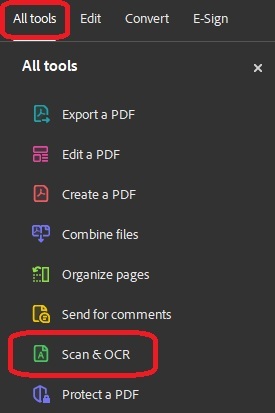
Open PDF in Adobe Acrobat Pro. Select Tools > Scan & OCR.
2
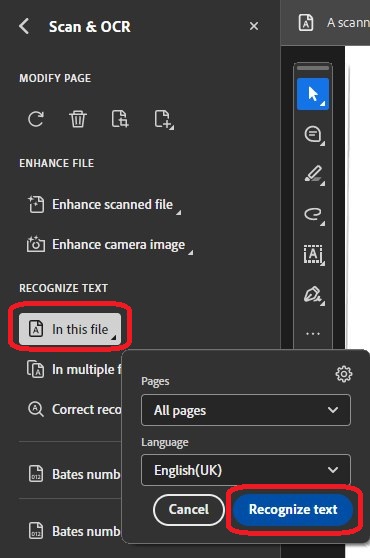
Under Recognise Text > In This File > Click 'Recognise Text' button.